An AI automation agency is a service company that takes the repetitive work inside a small business, the lead that has to be answered, the quote that has to be written, the invoice that has to be chased, the weekly numbers that have to be gathered, and builds a system that does it without a person in the loop, or with a person only where judgment is needed. It uses the AI assistants you already know, ChatGPT, Claude, Gemini and Perplexity, as the engine, and tools like Zapier, Make or n8n as the plumbing. This guide explains what such an agency actually delivers, what it costs next to doing the same thing yourself, and how to tell which of the two you need.
What an AI Automation Agency Actually Builds
Strip away the pitch decks and the work falls into five jobs, and almost every small-business engagement is a mix of them:
- Lead intake. A form, a call, a chat or an email arrives; the system reads it, qualifies it against your rules, writes the first reply in your voice, books the slot or routes it to the right person, and logs it. Nobody waits until Monday.
- CRM and admin sync. The same customer appears once, not four times, across your inbox, your calendar, your invoicing and your spreadsheet. The agency maps which system owns which fact and builds the connections.
- Quoting and proposals. The customer's answers go in, a draft quote or proposal comes out, priced from your own rate card, ready for a two-minute review before it is sent.
- Support triage. Incoming questions are sorted: the ten frequent ones get an answer from your own help content, the refunds and complaints go to a human with a summary attached, the urgent ones are flagged.
- Reporting. Leads, revenue, cost per lead, open invoices and response times land in one message every Monday morning, pulled from the systems where they live, with a short plain-English note of what changed.
What an agency is not: a chatbot vendor, a software product, or a developer who will rebuild your business on a custom platform. The good ones build on the tools you already pay for and leave you owning everything.
How the Work Usually Goes
A serious engagement follows the same shape whether it takes three weeks or three months.
- Discovery. A week of watching how work actually moves: who touches a lead, where the quote is typed, which spreadsheet gets filled by hand on Friday. The output is a map of the week with the hours written on it.
- Pick two or three workflows. Not twenty. The ones where the hours are highest and the rules are clearest. A business that automates three things well in month one trusts the fourth.
- Build on what you own. Zapier, Make or n8n for the plumbing; the ChatGPT, Claude or Gemini API for the parts that read and write language; your existing CRM, inbox, calendar and accounting as the systems of record. If the agency insists on its own platform, ask what happens when you leave.
- Test with real data. Last month's leads, real quotes, real complaints, run through the new system side by side with the old one, with a person checking every output until the error rate is boring.
- Hand over and care. Documentation a new employee could follow, the logins in your name, and a monthly check: what broke, what changed in the tools, what the next workflow should be.
Where the Assistants Fit
Each assistant tends to land in a particular seat. ChatGPT and Claude do most of the reading and writing inside workflows, through their APIs: classifying a message, drafting the reply, summarizing a call. Claude is the usual choice for long, careful documents and for anything that touches code; ChatGPT for breadth and the widest set of integrations. Gemini is the natural engine when the business runs on Google Workspace, because it already sits inside Gmail, Docs and Sheets. Perplexity is the research step: the part of a workflow that has to look something up on the live web and come back with sources. Our comparison of ChatGPT, Claude, Gemini and Perplexity for business goes deeper on the differences, and our playbook for ChatGPT in a small business shows the manual version of most of the workflows above.
What It Costs, and What Doing It Yourself Costs
Agencies price in three layers, and you should be able to see all three on the quote:
- Discovery, usually a fixed fee or folded into the first project, which pays for the map of the week.
- The build, priced per workflow or per project. The number depends on how many systems have to talk to each other and how much judgment the AI step has to carry, not on how impressive it sounds.
- Care, a monthly retainer for monitoring, fixes when a tool changes its interface, and the next small workflow. Some businesses skip it; the ones with five or more automations rarely can.
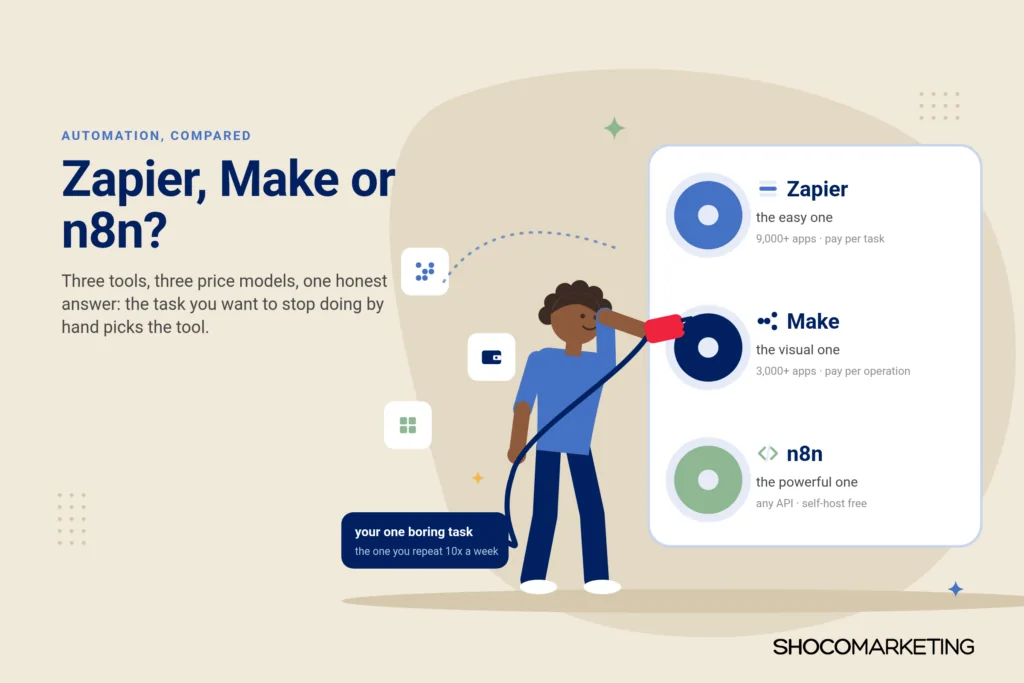
On top of all three sit the subscriptions, which are yours either way: the automation platform's plan, the assistant's API usage, and whatever your CRM charges for integrations. Our comparison of Zapier, Make and n8n lists the current plans.
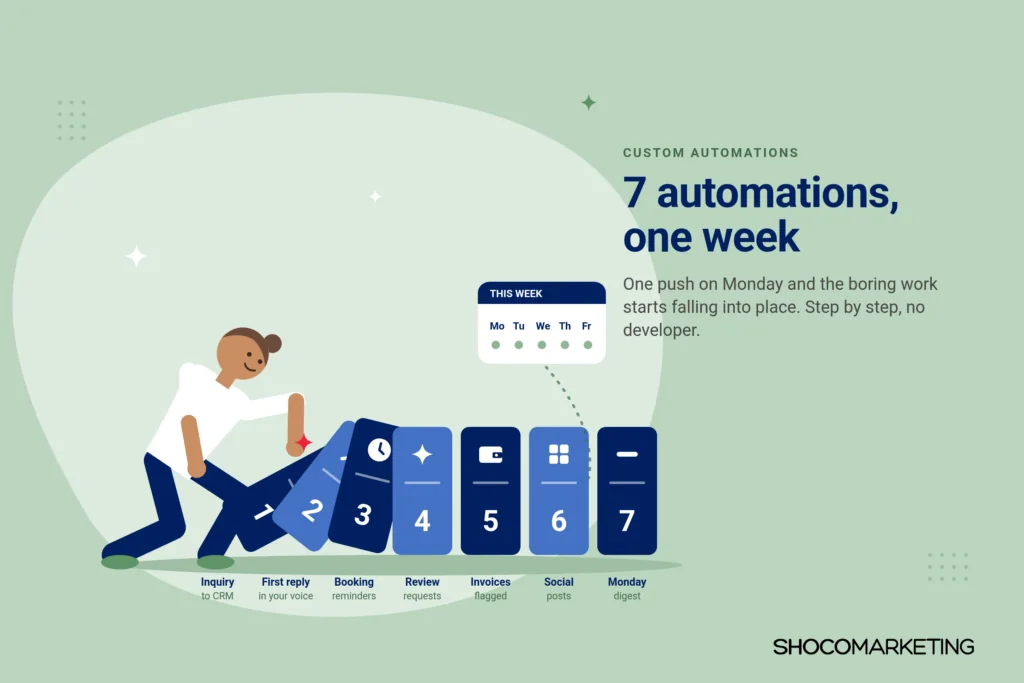
The do-it-yourself route costs the same subscriptions plus your hours. That is the honest comparison: not the agency's fee against zero, but the agency's fee against the evenings you will spend learning the platform, the week a broken automation goes unnoticed, and the workflows you never get around to. For a business owner who enjoys this and has one or two simple flows in mind, the DIY math wins; our guide to automating small business tasks with ChatGPT and Claude and our seven automation ideas you can set up this week are written for exactly that owner. For a business where the owner's hour is the most expensive hour in the company, it usually does not.
Five Signs You Need an Agency
- Leads wait. Enquiries sit unanswered overnight or over the weekend, and you know you are losing some of them.
- The same data is typed twice. A customer's details go into the inbox, then the CRM, then the invoice, by hand, and the three never quite agree.
- You tried Zapier and stalled. There are two or three half-built automations in the account, one of them silently failing.
- More than one system has to talk. The workflow crosses your CRM, your accounting tool and your calendar, and the connections are where DIY breaks.
- Your hour is the bottleneck. Every quote, every follow-up and every report goes through you, and the business cannot grow past your calendar.
Five Signs You Do Not
- You have one simple flow in mind. Form to spreadsheet to email is an afternoon in Zapier or Make, with ChatGPT writing the steps for you.
- The rules are not clear yet. If you cannot write down how a lead should be handled, no system can be built to handle it. Write the rules first, by hand, for a month.
- Volume is low. Five enquiries a week do not need triage. A good template and a habit do.
- The tools are about to change. If you are switching CRM or accounting software next quarter, automate after the move, not before.
- You enjoy building it. Some owners do, and for them a weekend with Claude or ChatGPT and a Zapier account is the better investment; our vibe coding guide covers how far that can go.
Questions to Ask Before You Sign
- Who owns the accounts? The automation platform, the API keys and the documentation should be in your name from day one.
- Which tools will you build on, and why those? The answer should name tools you already use, not a platform of their own.
- What happens when a step fails? You want a specific answer: an alert to a named person, a fallback to the old manual process, a log you can read.
- Where does customer data go? Which assistant, under which plan, with which data-retention terms. A consumer ChatGPT or Claude account is not the answer for customer records.
- Show me a workflow you built for a business like mine. With the before-and-after hours, not a demo.
- What is in the monthly fee, and what is not? Monitoring and small fixes, or every change billed by the hour.
- If we stop, what do we keep? Everything, should be the answer, with a handover document.
If an agency answers all seven plainly, you are talking to the right kind. If the answers are about their platform, their roadmap and their AI, keep looking. Automation that you do not own is a subscription to someone else's business.
Frequently Asked Questions
What Does an AI Automation Agency Do?
It builds systems that handle repetitive work in a business, lead intake, CRM sync, quoting, support triage and reporting, using AI assistants such as ChatGPT, Claude and Gemini for the reading and writing and tools like Zapier, Make or n8n to connect your existing software. It should hand everything over in your name.
How Much Does an AI Automation Agency Cost?
Expect three layers on a quote: discovery, the build priced per workflow, and an optional monthly care fee, plus the tool subscriptions you would pay either way. Compare the total against your own hours, not against zero.
Can I Automate My Business Myself with ChatGPT?
For one or two simple flows, yes: ChatGPT or Claude will write the steps and Zapier or Make will run them. The DIY route stops paying when several systems have to talk to each other or when an unnoticed failure costs you customers.
What Should I Automate First?
The job with the most hours and the clearest rules. For most small businesses that is lead intake and the first reply, followed by quoting. Reporting is the easiest win after those.
Is an AI Automation Agency the Same as a Chatbot Company?
No. A chatbot is one possible front end. An automation agency works on the whole flow behind it: where the message goes, what gets written back, which systems update, and who is told when something needs a human.